
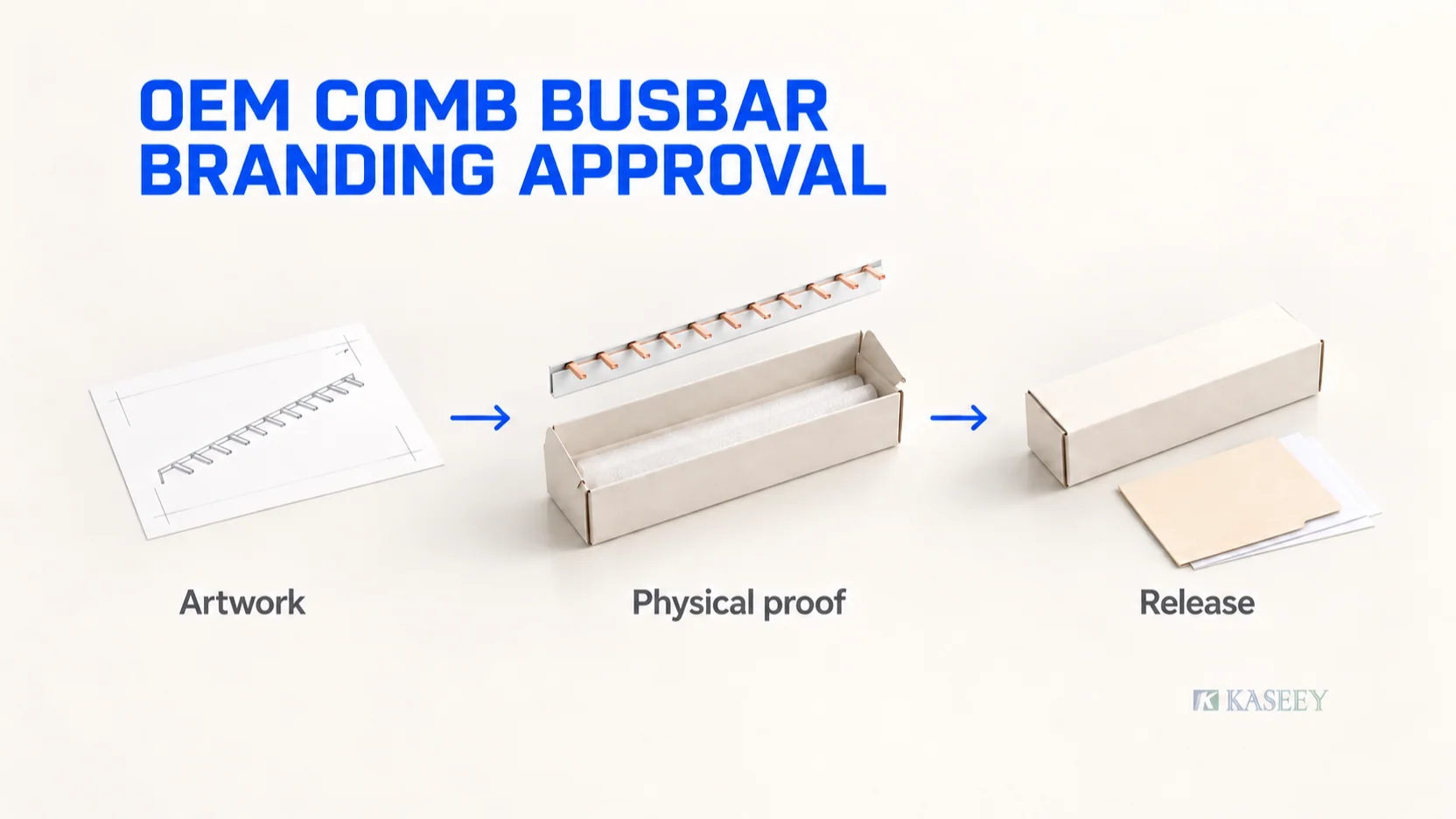
Approve OEM comb busbar branding through one controlled release pack: the exact supplier part, the customer SKU, the marking layout, the packaging artwork, any encoded data and a representative physical proof. Record who approved each item, which revision they reviewed and what production scope the approval covers.
A logo file starts the discussion. Production needs a complete reference that purchasing, engineering, the supplier and the packing team can interpret consistently. Otherwise, a correct logo can accompany the wrong busbar variant, package quantity or barcode data.
The following is a proposed buyer-side workflow for panel builders and private-label distributors. Agree its checks with the supplier for the selected model and market. KASEEY’s comb busbar range provides the product starting point; available marking methods, marking areas and packaging arrangements require project confirmation.
Define the part and the packaging hierarchy first
Give the supplier a full order code or controlled drawing reference. Identify the contact form, phase arrangement, pitch, length, conductor specification and insulation configuration already approved for your application. Branding approval uses that product definition as an input; changes to it require the appropriate engineering review.
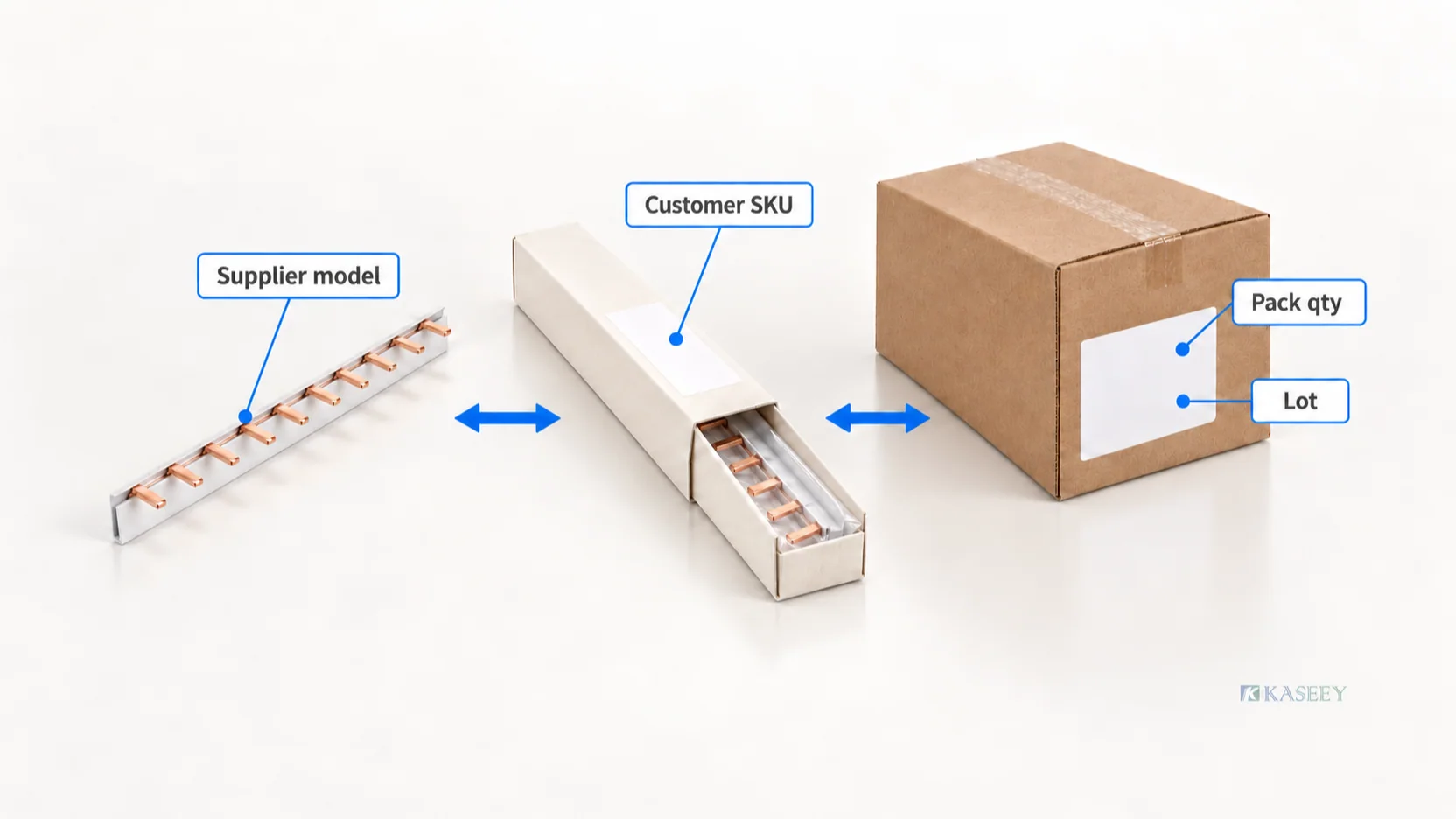
Then map the supplier’s part reference to your customer-facing SKU. Separate variants that must be ordered, stocked or picked separately. Two lengths in the same comb busbar family can share a graphic style while still needing different product identifiers and packaging data.
Define what each packaging level contains. State quantities in an agreed unit, such as individual busbars, and distinguish pieces per inner pack from inner packs per carton.
| Approval object | Information to define | Buyer check |
|---|---|---|
| Product marking | Approved text or artwork, location and method; model or traceability information where required | The supplier confirms the selected model can carry the proposed mark in that area. |
| Individual or inner pack | Customer SKU, supplier reference where needed, description, pieces per pack and agreed lot field | The label identifies the enclosed variant and its counting unit. |
| Outer carton | Pack configuration, total piece count, variant identity and agreed carton or lot reference | Carton data reconciles with the inner packs and packing list. |
| Shipping mark | Consignee, order or shipment reference and agreed handling information | The shipping mark supports the shipment without replacing product identification. |
| Machine-readable symbol, if used | Data owner, encoded value, symbol type and the packaging level it identifies | Decoded data agrees with the approved item and package unit. |
Put the mapping in writing even when one company uses the same code for every level. For mixed cartons, define the itemized contents and segregation method explicitly; a single-variant carton label can misrepresent a mixed shipment.
Gate 1: send one complete artwork brief
Nominate one buyer contact to consolidate revisions. Send one brief with the following inputs:
- Product baseline: supplier order code, customer SKU, drawing revision and the approved configuration.
- Destination and use: target market, sales channel, intended application and required language versions.
- Brand assets: approved logo file, brand colors, text and the contact authorized to approve brand presentation.
- Marking request: proposed content and position, with a request for the supplier to confirm method, available area and feasibility.
- Packaging definition: each packaging level, dimensions to be confirmed, counting unit, quantity and protection requirements.
- Data sheet for labels: controlled descriptions, identifiers, variable fields and barcode data where applicable.
- Evidence requirements: applicable product documents, claim review, print-quality checks and any agreed packaging evaluation.
- Approval plan: reviewers, proof type, acceptance criteria, pilot scope and the person authorized to release production.
Keep editable artwork, the data sheet and the review PDF together under one revision. File names should identify the part or SKU, language, packaging level and revision. Avoid a collection of files named “final,” “final-new” and “latest.”
KASEEY’s OEM/ODM page describes private-label work through brief, artwork, approval and production. Use the initial review to establish which requested options are available for your selected comb busbar, then record those choices in the brief.
Gate output: a confirmed scope and one reviewable file set. Unconfirmed marking methods or packaging features remain open items.
Gate 2: approve artwork, placement and label data
Review a layout at its intended print size, with dimensions and orientation supplied by the manufacturer or packaging designer. A large screen preview can hide text that becomes difficult to read on the actual product or pack.
Review the product mark separately from the pack
Ask the supplier to identify the permitted marking area on the selected product. Review how the mark relates to exposed contacts, insulation edges, cutting positions where applicable and existing required identification. Keep proposed marking away from contact surfaces unless the manufacturer has explicitly approved the construction and method.
Confirm logo proportions, text size, contrast, orientation and the selected process. Do not assume a method available on another product is suitable for this comb busbar’s surface. Agree any required legibility or durability check for that method and intended handling conditions.
Treat performance and certification statements as a separate review item. Match each proposed rating, standard reference, certification symbol or other technical claim to evidence covering the exact product and relevant market. Rebranding or modifying a product does not automatically preserve an existing certificate or report scope; KASEEY explains this scope limitation in its OEM/ODM guidance.
Check every fixed and variable field
Compare the artwork with the controlled data sheet, field by field:
- Does the customer SKU map to the intended supplier variant?
- Do descriptions and language versions identify the same component?
- Do pack quantity and carton quantity use the agreed units?
- Is each lot, date or order field clearly identified as variable where applicable?
- Who supplies the variable data, and who verifies it before printing?
- Does a sample decoded barcode value match the approved data and packaging level?
Use a representative populated proof as well as the blank template. This catches variable text that overflows its field or moves another element. Agree how invalid or missing data will stop label release.
Specify barcode verification when the application requires it
Approve the encoded data and the printed symbol as separate items. A correct data value can still produce a poor printed symbol.
GS1 explains that an ISO/IEC-compliant barcode verifier measures symbol parameters and produces an overall quality grade. Minimum quality requirements depend on the application. Agree the applicable requirements and report format with your printer or supplier, then evaluate an actual printed proof when verification is required. Use the GS1 guidance on measuring printed barcode quality as the reference for that discussion.
Gate output: artwork and data approved for physical proof, with every open issue assigned. This approval covers the reviewed files and placement definition; physical print and packaging checks follow at the next gate.
Gate 3: review a representative physical proof
Agree which proof represents the proposed production materials and process. A blank carton with a temporary office-printed label can help review fit and layout, but its approval only covers those demonstrated features. It cannot establish the final printing, marking or label performance.
Review the proof with the intended busbar configuration and agreed pack quantity. Record the proof’s identifier, artwork revision, materials and manufacturing method so the supplier can reproduce the approved combination.
Check these physical relationships:
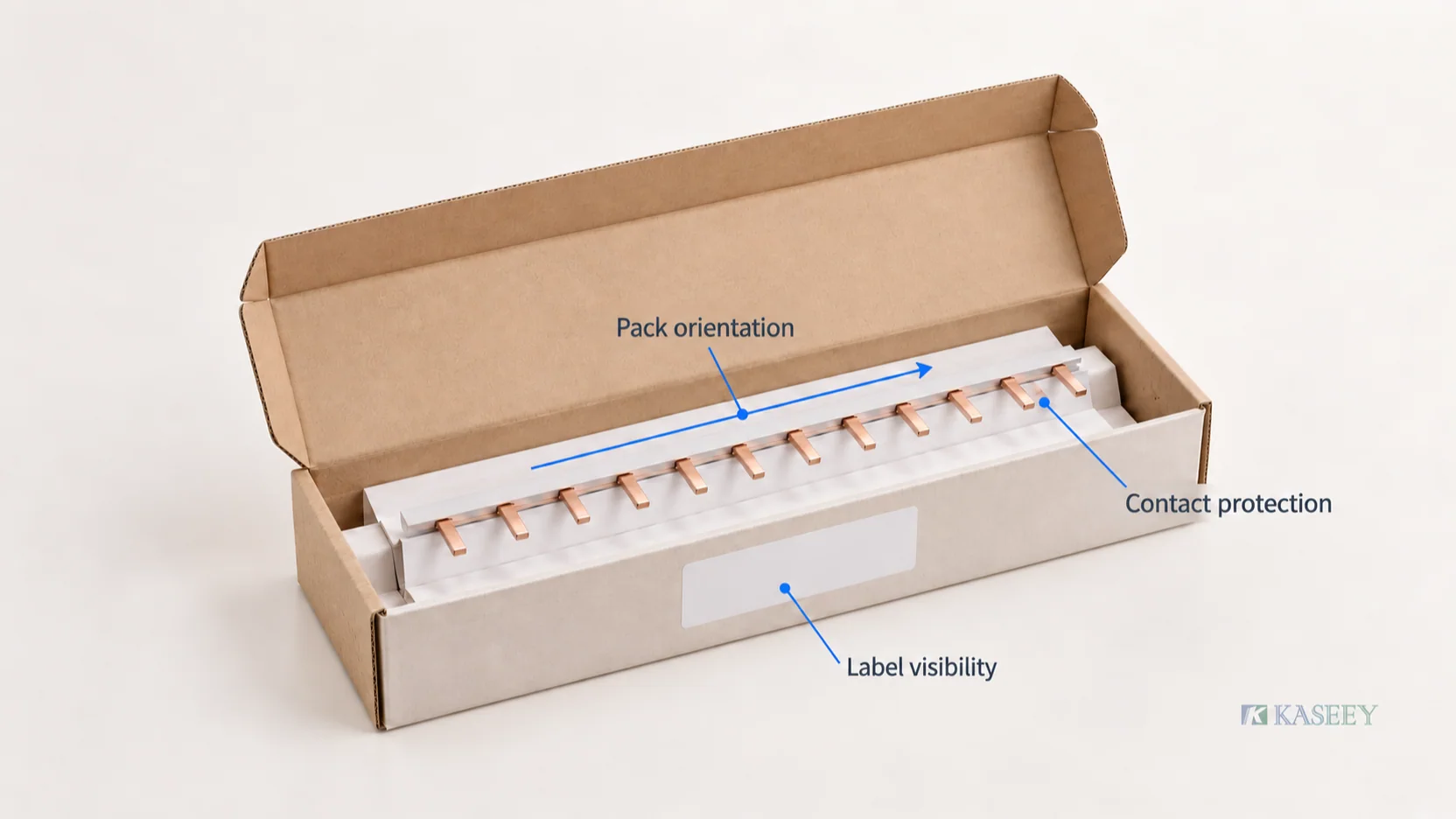
- Contact protection: inspect how the package supports the bar and keeps exposed teeth from pressing against unsuitable surfaces or moving into neighboring parts. Check the assembled pack after normal opening and closing.
- Product orientation: verify that the packing arrangement is clear enough for repeatable loading and that the closure does not force the contacts or insulation into position.
- Mark visibility: inspect the proposed product marking at normal handling distance, including any location hidden by the pack or affected by its closure.
- Label behavior: examine the actual substrate, print and attachment method. Look for lifting edges, smearing, distortion across folds and interference from seams or tape.
- Count and identity: reconcile the enclosed pieces, inner-pack labels and carton total. Open a representative pack to confirm that the printed identity matches its contents.
- Retrieval: check that agreed item and lot information can be read after the package is assembled and opened in the intended way.
If transport resistance, abrasion, moisture exposure or another performance is a requirement, specify the agreed test method, conditions, sample plan and acceptance criteria. A photograph or visual fit check provides evidence of appearance and fit only.
Save photographs of the product mark, the assembled inner pack, its opened arrangement and the closed carton. Identify each view by proof ID and revision. Retain an agreed physical reference where practical.
Gate output: an accepted physical reference and a record of the checks performed. Revise and resubmit any failed item before authorizing the affected production scope.
Gate 4: sign a release record with a clear scope
Assign reviewers by what they can approve. A brand manager can approve logo presentation; engineering or the appropriate compliance reviewer must resolve product changes and technical claims. Purchasing should consolidate the outcome into the order reference.
| Reviewer | Approval responsibility |
|---|---|
| Brand or marketing | Approved logo, layout, language and customer-facing presentation |
| Engineering / relevant compliance reviewer | Selected product definition, marking feasibility and supported technical claims |
| Quality | Agreed proof checks, identification, acceptance criteria and evidence records |
| Warehouse or operations | Counting units, pack identification, opening and handling arrangement |
| Purchasing / release owner | Complete approval record, order scope and supplier acknowledgment |
Use a status that states the next permitted action: Revise and resubmit, Approved for physical proof, Approved for pilot, or Approved for production. In this workflow, Gate 4 releases the agreed pilot scope as Approved for pilot once its relevant conditions are closed. Record Approved for production after Gate 5 is accepted and all conditions affecting that production scope are closed. Each decision covers only the identified languages, variants and packaging levels.
Copy this release record into your project file:
| Record field | Buyer and supplier entry |
|---|---|
| Project / PO reference | Identify the order or program. |
| Part identity | Supplier order code, customer SKU and product drawing revision. |
| Product marking | File ID, revision, method, approved area and proof ID. |
| Packaging artwork | Separate file IDs and revisions for each level and language. |
| Packaging configuration | Materials, layout, pieces per pack and packs per carton. |
| Data control | Label data revision, variable-field owner and barcode specification if used. |
| Evidence | Proof photographs, agreed check results and applicable supporting documents. |
| Decision and scope | Status; approved variants, quantities or order scope; exclusions and conditions. |
| Signoff | Reviewer names or roles, dates and release owner. |
| Supplier acknowledgment | Confirmation of the exact approved reference to be used. |
| Repeat-order reference | Location of retained master files and physical reference; change triggers. |
Store the approval with the files it actually covers. An email saying “looks good” needs the reviewed attachment and revision to become a useful production reference.
Gate 5: reconcile the pilot with the approved reference
Before a pilot run, agree its quantity and inspection coverage. Compare the pilot’s product markings, populated labels, inner packs and cartons with the released file set and physical proof.
Check that production uses the approved artwork revision, the correct variable data and the agreed package counts. Record differences with photographs and affected identifiers. Ask the supplier to resolve them before release; a verbal assurance does not update the approved master.
If the pilot matches the agreed criteria, record the next authorized production scope. KASEEY’s quality-control page describes a controlled order reference and agreed checks for marking, quantity and packaging. Confirm the checks and records needed for your order rather than assuming every unit receives every possible inspection.
Keep repeat orders tied to the approved revision
On a reorder, quote the supplier part, customer SKU, product revision and marking/packaging release reference. Confirm the language version, package quantities and variable-data source. This gives the supplier a retrievable baseline even when staff or purchase-order numbers change.
Route changes according to what they affect:
- Logo, wording, language or layout: revise the artwork and obtain the affected reviewers’ approval; review a printed proof where necessary.
- SKU, quantity or encoded data: update the mapping and label data, then reconcile every affected packaging level.
- Marking method, location or substrate: obtain feasibility review and repeat the relevant physical-proof checks.
- Package material, insert, dimensions or closure: reassess fit, handling and any agreed protective-performance requirements.
- Product construction or technical claim: reopen the applicable engineering and evidence review before releasing revised branding.
Identify obsolete labels, packaging stock, marked parts and work in progress. Agree their disposition and the order or lot at which the new revision takes effect. Keep superseded files for traceability while removing them from the active production file set.
Start an OEM comb busbar branding review with KASEEY
Send the selected comb busbar model or drawing, your customer SKU, destination market, quantity, brand assets and proposed packaging hierarchy. Attach the marking layout, label data and the proof checks you need.
Ask KASEEY to confirm the available marking method and area, packaging feasibility, proof arrangements and approval responsibilities for that configuration. Use the contact page to begin the review.
The deliverable to request is a linked approval pack: one exact part definition, controlled artwork and data, an accepted physical reference, and a recorded production release. Carry that same reference into repeat orders.